Skip to content
Punch list app

The punch list app that pins every item to the plan

Walk the job, photograph each punch item, drop it on the floor plan and assign it. Close-out gets a PDF report with the photo and the location of every item — built on the phone, on site.

Punch list tasks in SIAPP
How it works

From walk-through to close-out in three steps

01

Capture the item

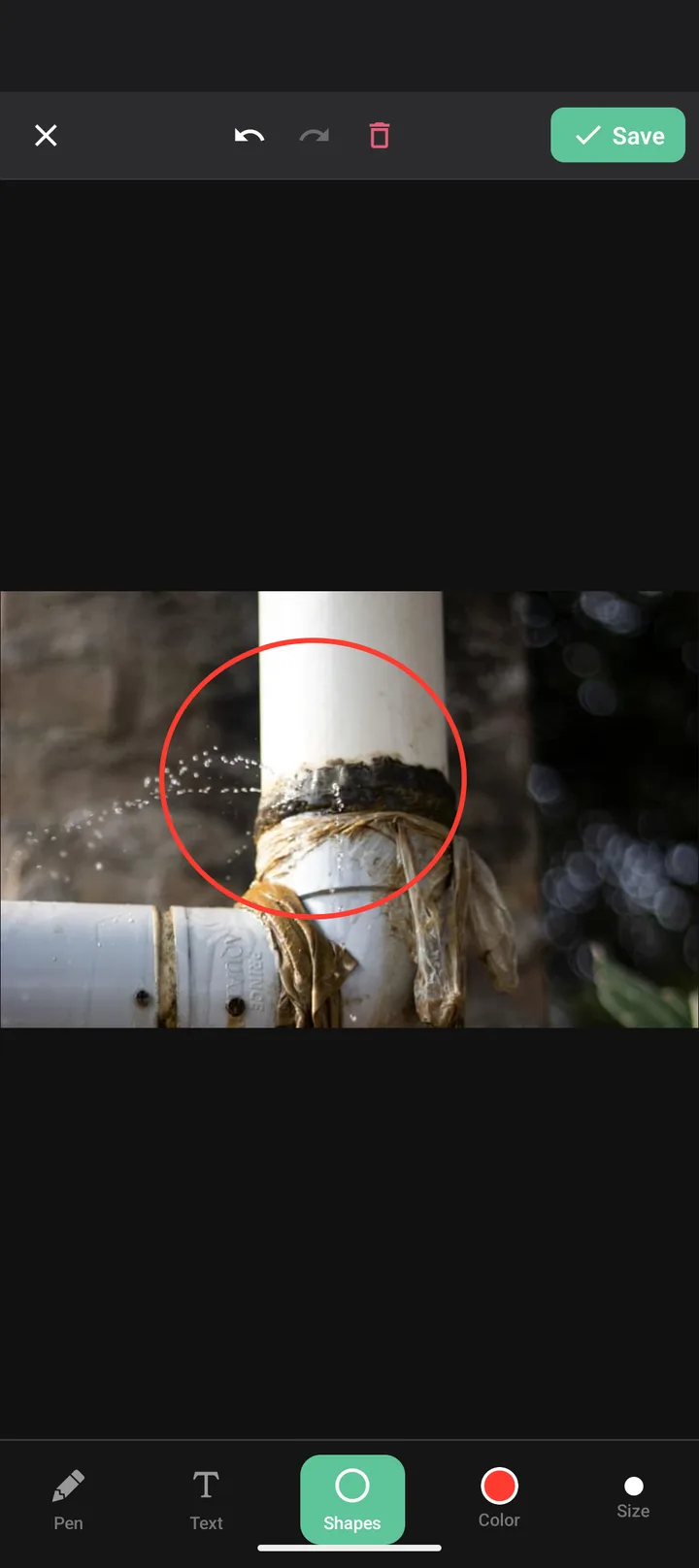
Photo, category and note in one screen. GPS and a timestamp attach on their own, and you can mark up the photo with arrows and text.
Annotating a punch item photo
02

Pin and assign

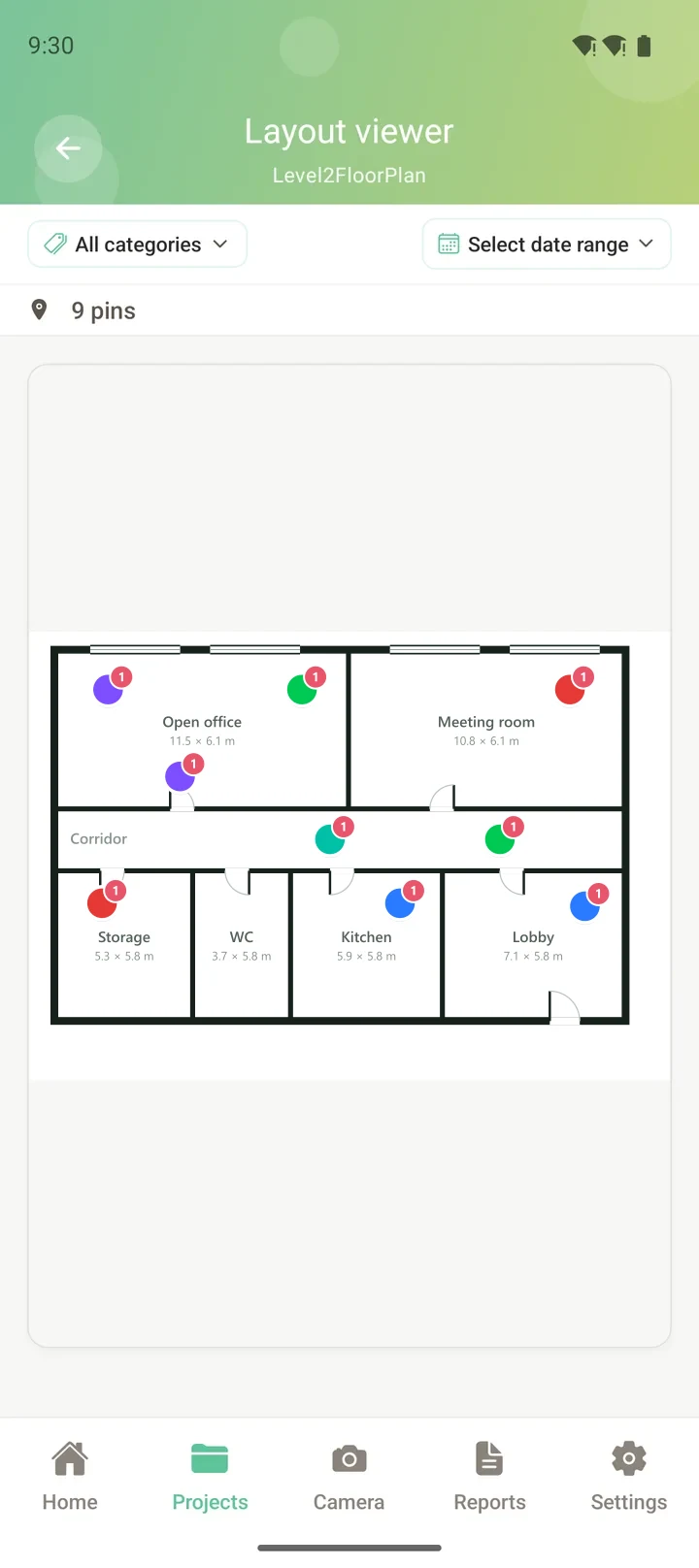
Drop it on the plan, then turn it into a task with an owner, a priority and a due date.

Punch items pinned on a floor plan
03

Report and close out

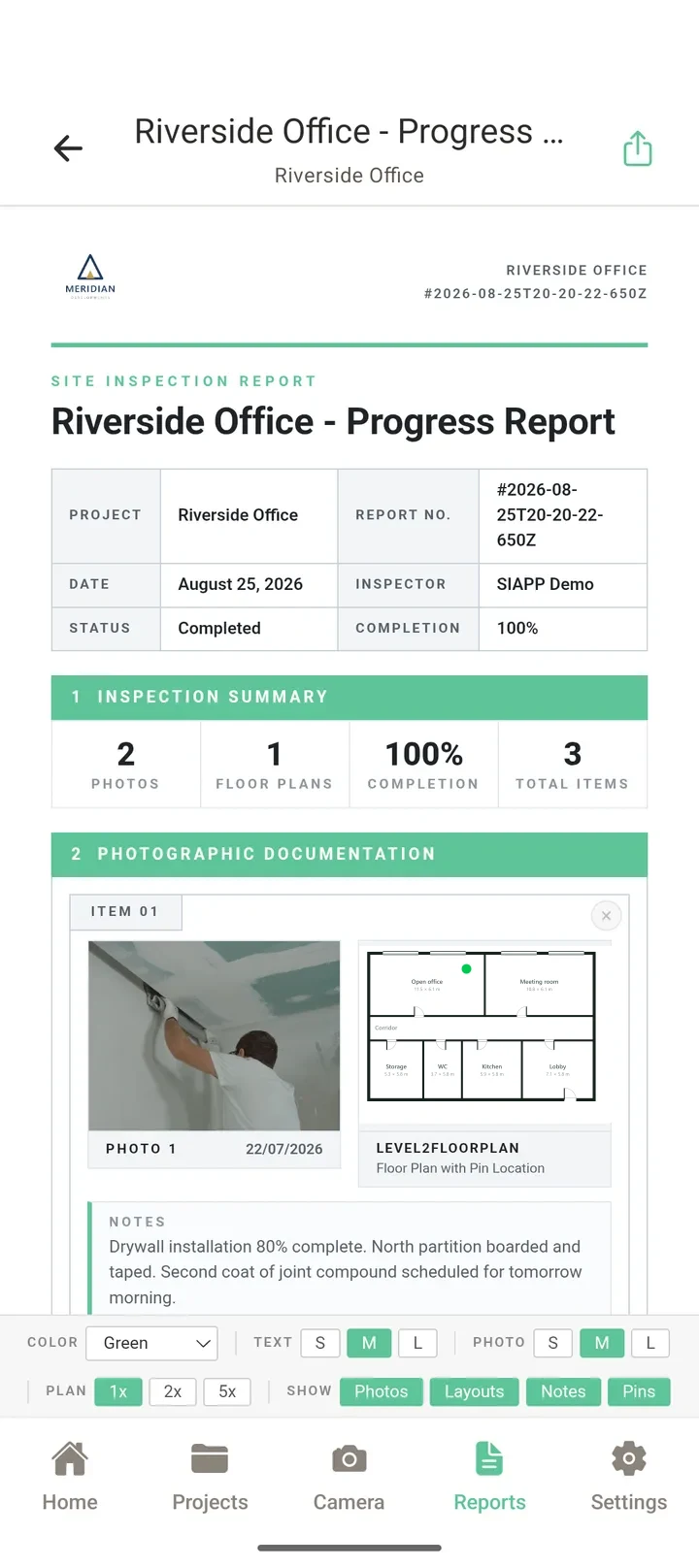
Generate the punch list PDF, share it as a file or a password-protected link, and tick items off as they are fixed.
A branded punch list report
Who it is for

For the people who walk the job

General contractors, superintendents, owner's reps, architects and inspectors — anyone who has to find the item again next week and prove it was fixed.
General contractors and superintendents
Subcontractors clearing their own items
Owner's reps and project managers
Architects doing substantial-completion walks
Home inspectors and property managers
Colour-coded pins on a plan
FAQ

Common questions

What does a punch list app do?
It replaces the clipboard punch list. Each item gets a photo, a location, a description, an owner and a due date, and the app turns the whole list into a report you can send to the owner, the architect or your subs. SIAPP also places every item on the floor plan.
Can I assign punch list items to subcontractors?
Yes. Turn any photo or pin into a task with a priority, an assignee and a due date, then filter by open, done or assigned to you. Tasks come with the Professional plan and above; inviting team members into a project is part of the Enterprise plan.
Does it work on a jobsite with no signal?
Yes. Everything is saved on the device first and syncs automatically when the connection comes back, so a basement or a steel-frame building is not a problem.
What does the punch list report look like?
A PDF with a cover sheet, summary counts, and a page per item showing the photo, the note, the category and the plan extract, followed by a sign-off block. Paid plans put your own logo on it.
How much does it cost?
The free plan is permanent: 2 projects, 50 photos per project and 1 GB — no card, no trial clock. Paid plans start at $14 a month for Solo, with a 14-day free trial in the store.
Which devices does it run on?
Android and iPhone, plus a web dashboard in any browser for when you are back at a desk.

Run your next walk-through on it

Install it, upload one floor plan and pin your first item. It takes about two minutes.

Related: Snagging app · Free punch list template · Inspection apps compared