Skip to content
Snagging app

The snagging app that puts every snag on the plan

Photograph the defect, pin it where it is on the floor plan, add a note and a trade, and hand over a PDF snag report before you leave site. For site managers, clerks of works, contractors and new-build homebuyers.
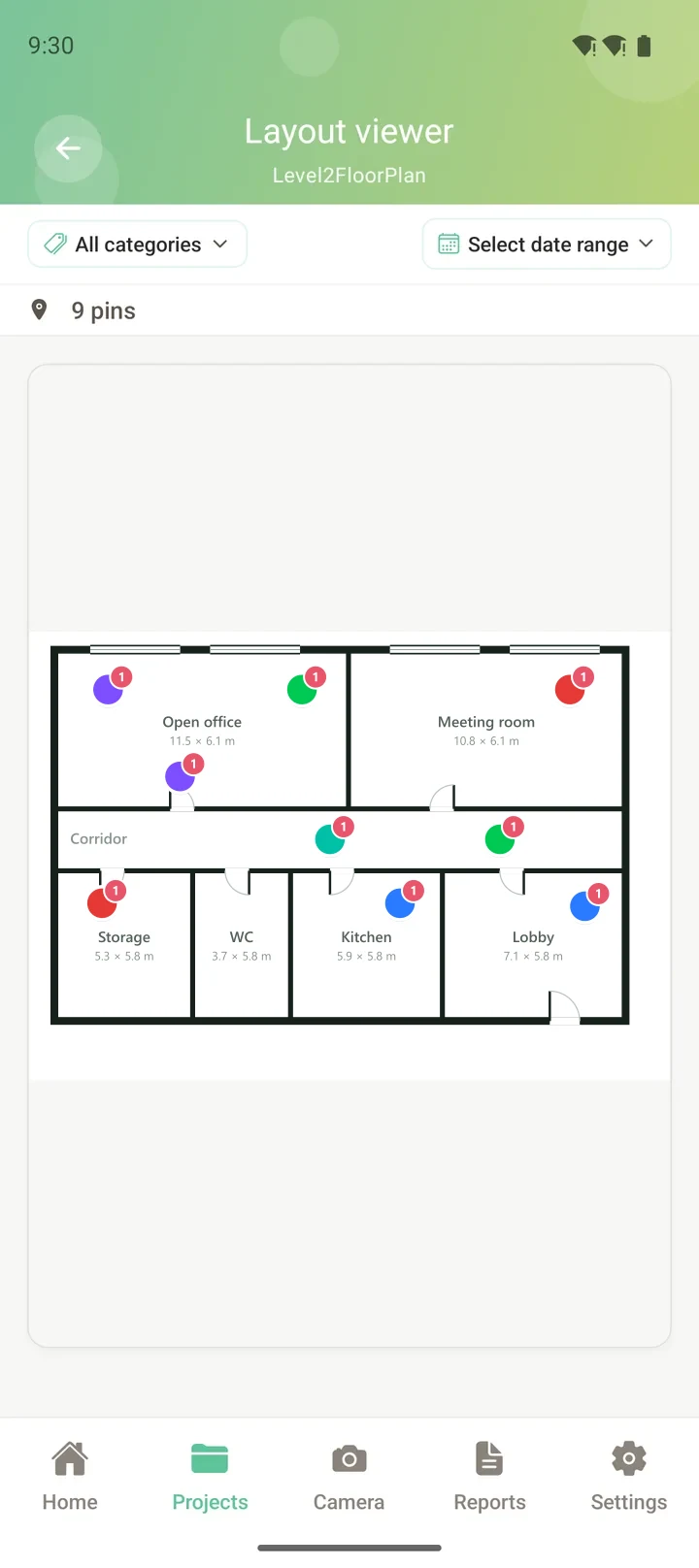
Snags pinned on a floor plan in SIAPP
How snagging works in SIAPP

Walk the building once. The snag list builds itself.

No clipboard, no sorting 200 photos called IMG_4471 at your desk that evening.

01

Photograph the snag

Open the camera inside the project. Choose "Issue", dictate or type the note, and GPS and time are attached automatically.

Capturing a snag photo in SIAPP
02

Pin it to the plan

Tap where it is on the floor plan. Issues show as red pins, so the open snags on each floor are visible at a glance.

Pinning a snag to the floor plan
03

Send the snag report

One tap builds the PDF: a cover sheet, a summary, and a page per snag with its photo, note and plan extract.
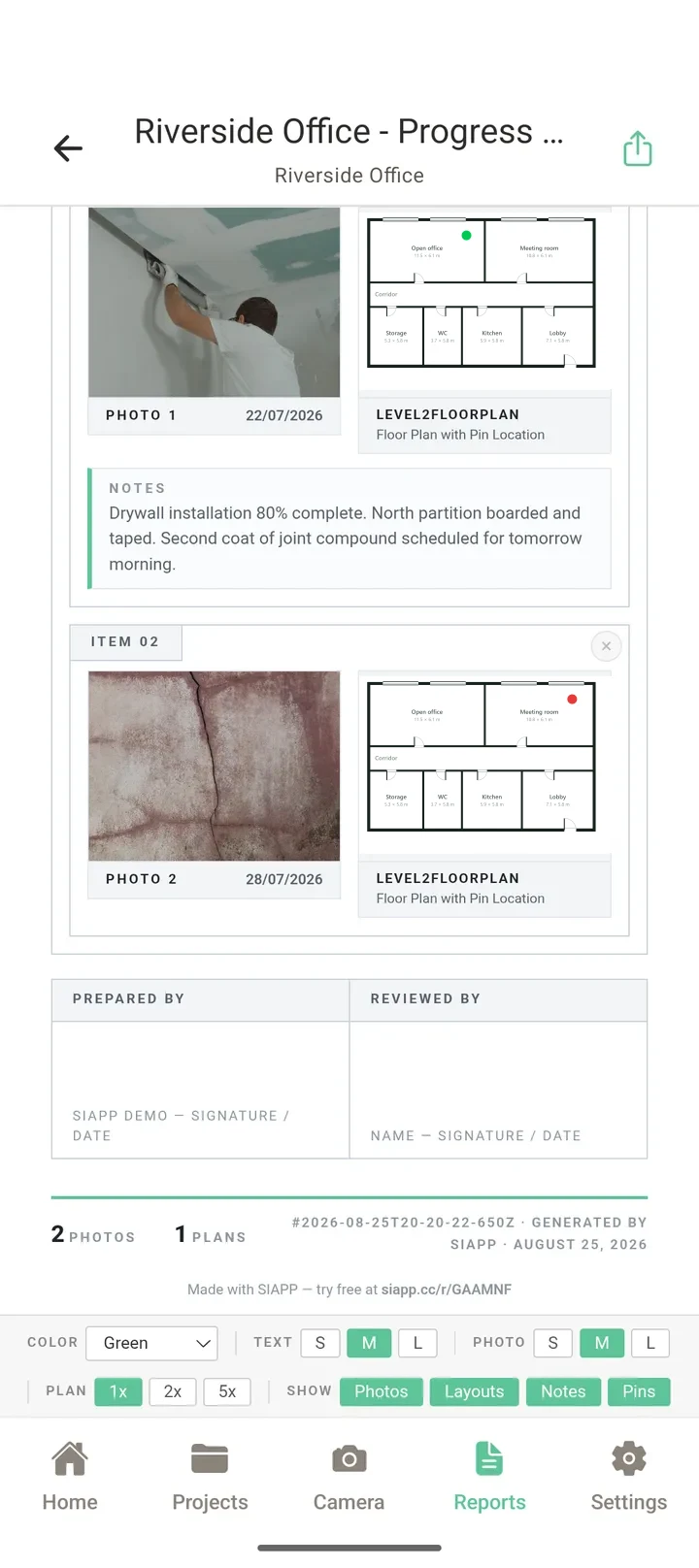
A SIAPP snag report
Who uses it

Built for the snagging walk, not the office

One hand free, gloves on, bright sun, no signal and 20% battery. SIAPP is designed around that walk, and around the person who has to read the report afterwards.
Site managers closing out before handover
Clerks of works and quality inspectors
Subcontractors clearing their own snag lists
New-build homebuyers and professional snaggers
Property managers doing check-in and check-out inspections
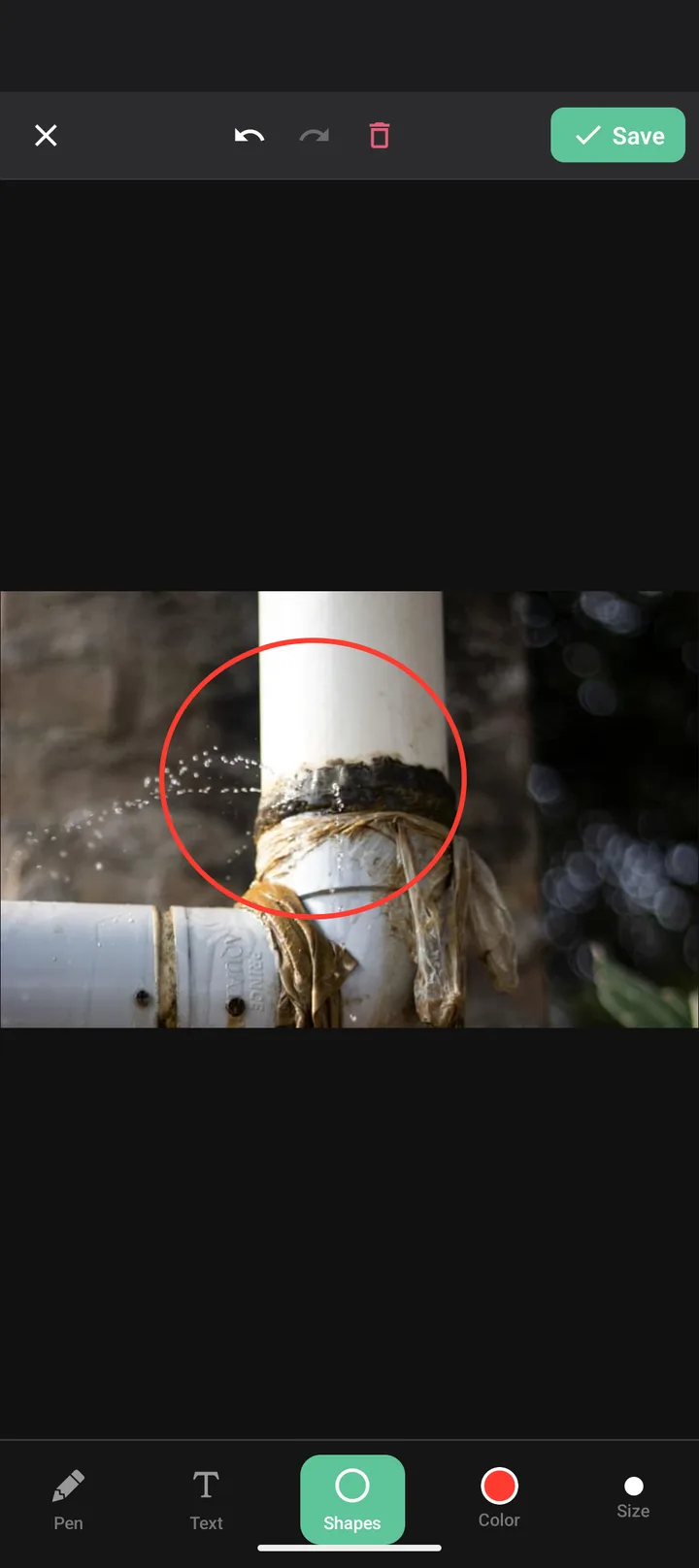
Marking up a snag photo
FAQ

Common questions

What is a snagging app?
A snagging app replaces the paper snag list. You photograph each defect on your phone, mark where it is, note what needs doing and who owns it, and the app produces the snag report for you. SIAPP also places every snag on the floor plan, so nobody has to guess which room "bedroom 2 skirting" means.
Does SIAPP work without signal?
Yes. New builds and basements rarely have signal, so everything is saved on the phone first — photos, pins, notes and tasks — and uploads on its own when you are back in range.
Can I use it for a new-build home snagging inspection?
Yes. Upload the plan from your purchase pack (PDF or photo), walk the house room by room, and pin each snag where you found it. The PDF report shows the photo, the note and the plan location for every item, which is what the developer's customer care team needs.
How do I send the snag list to contractors?
Generate the PDF on the phone and share it as a file, or send it as a link with a password and an expiry date. From the Professional plan each snag can become a task with an owner and a due date, and on Enterprise you can invite the whole team into the project.
How much does it cost?
The free plan is permanent: 2 projects, 50 photos per project and 1 GB — no card, no trial clock. Paid plans start at $14 a month for Solo, and every paid plan starts with a 14-day free trial in the store.
Is it on iPhone as well as Android?
Yes. SIAPP is on Google Play and the App Store, and the same account opens your projects in a web browser too.

Try it on your next snagging walk

Install it, upload one floor plan and pin your first snag. It takes about two minutes.

Related: Free snag list template · Punch list app · Site inspection checklist