 SIAPP
SIAPPEvery photo, pinned to the exact spot on the plan.
SIAPP is a site inspection app for people who actually go to site. Shoot the defect, drop it on the floor plan, and hand over a branded PDF before you are back in the truck — with or without signal.
Three steps, one walk around the building
The whole product is one loop: capture, pin, report. Everything else exists to keep that loop moving when the site has no signal and your hands are dirty.

Capture on site
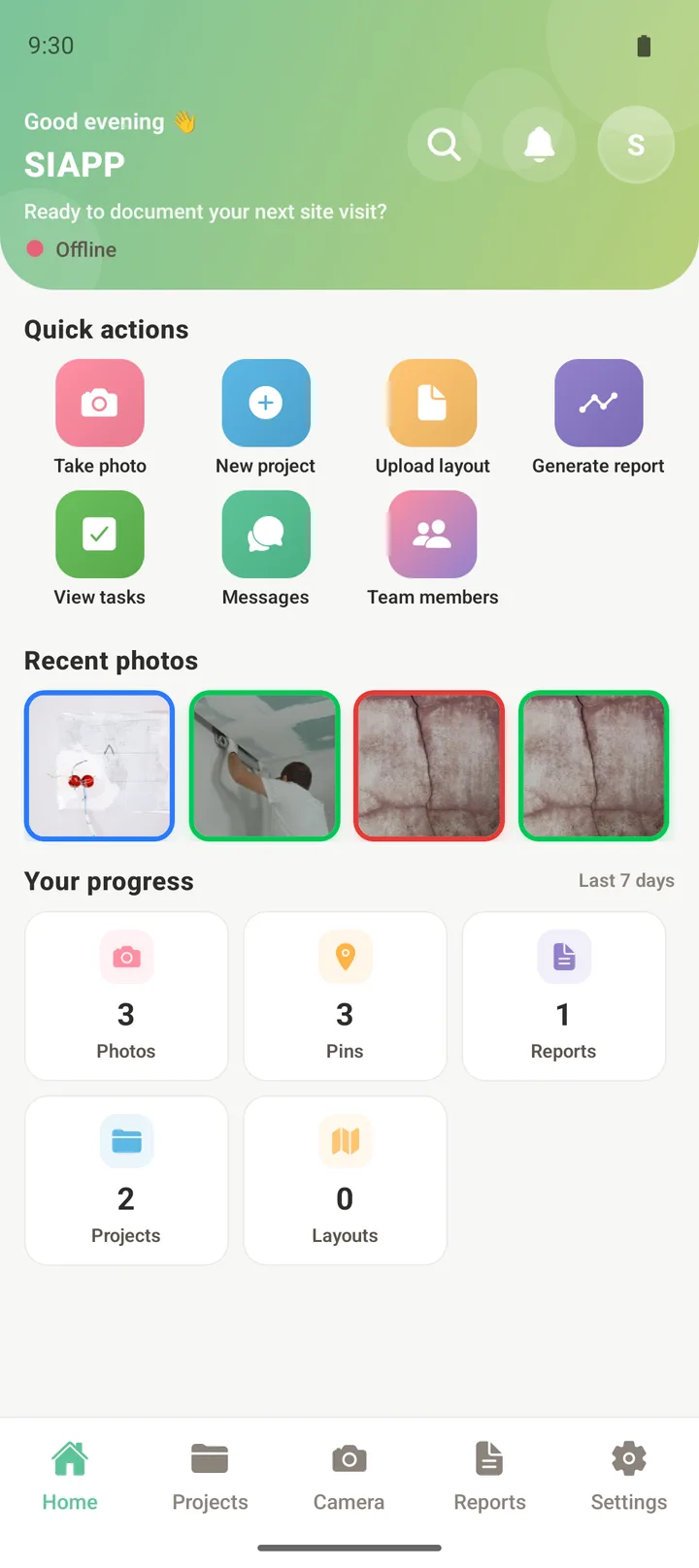
Open the camera inside the project. Tag the category as you shoot — issue, progress, inspection — and dictate the note instead of typing it.

Drop it on the plan
Place the photo where you took it. Anyone opening the plan later sees the exact location of every defect, fix and progress shot.
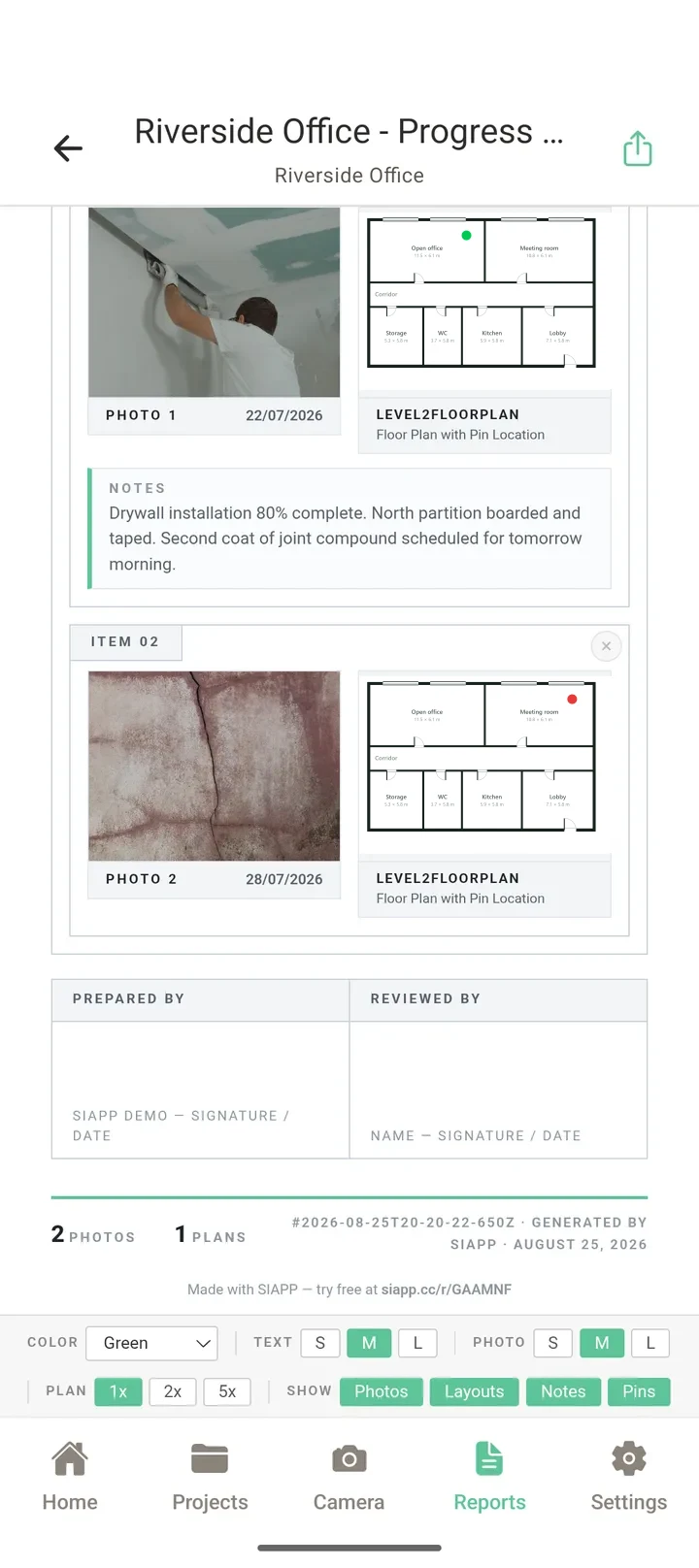
Hand over the report
One tap turns the day into a branded PDF with photos, notes, plan extracts and timestamps. Share it as a link or a file.
Everything the walk-round needs, nothing it doesn’t
The floor plan is the index
Upload a PDF or image plan and it becomes the map of the job. Pins carry the category colour, so a plan tells you where the problems are before you read a single note.

A basement is not an edge case
SIAPP writes to the device first and syncs afterwards. Everything you can do with full signal, you can do with none: shoot, pin, annotate, assign, and open any plan you have already loaded. The queue drains itself when you resurface.

Finished before you leave the gate
The report is not a separate job you do in the evening. Choose the project and the dates; SIAPP assembles the cover sheet, the summary counts, a page per photo with the plan extract beside it, and the sign-off block.
Built for whoever is holding the phone
General contractors
Run several sites at once, keep subcontractors honest, and send clients a progress report that looks like one.
Inspectors & surveyors
Photo evidence tied to a location, a date and a category — the three things a defect report has to prove.
Commercial projects
Unlimited team members, shared projects and per-project messaging when the job is too big for one phone.
Residential builders
Keep homeowners in the loop with dated progress shots and a snag list that actually gets closed out.
Start free. Pay when it earns its keep.
The plans below are priced for United States in USD — the same figure the purchase sheet in the app will show you.
- Everything in Free, plus
- Unlimited projects
- Unlimited photos
- Your logo on every report
- Everything in Solo, plus
- 5 GB cloud storage
- Advanced report layouts
- Voice dictation on notes
- 100 AI photo scans a month
- Tasks and punch lists
- Priority support
- Everything in Professional, plus
- Unlimited cloud storage
- 500 AI photo scans a month
- Unlimited team members
- Per-project team chat
The things people ask first
Does it work with no signal?
What does the free plan actually include?
How much are the paid plans?
Where do the reports come from?
Is there an iPhone version?
Who owns the photos?
How do I pay, and can I cancel?
Your next site visit could end with the report already sent
Free plan, no card, nothing to install on a laptop.