Skip to content
Construction photo documentation

Site photos that know where and when they were taken

Take progress and issue photos inside the project. Each one gets date, time, GPS and a category, is pinned to the floor plan, and goes into a PDF photo report in one tap. For contractors, site managers, inspectors and owners' reps.
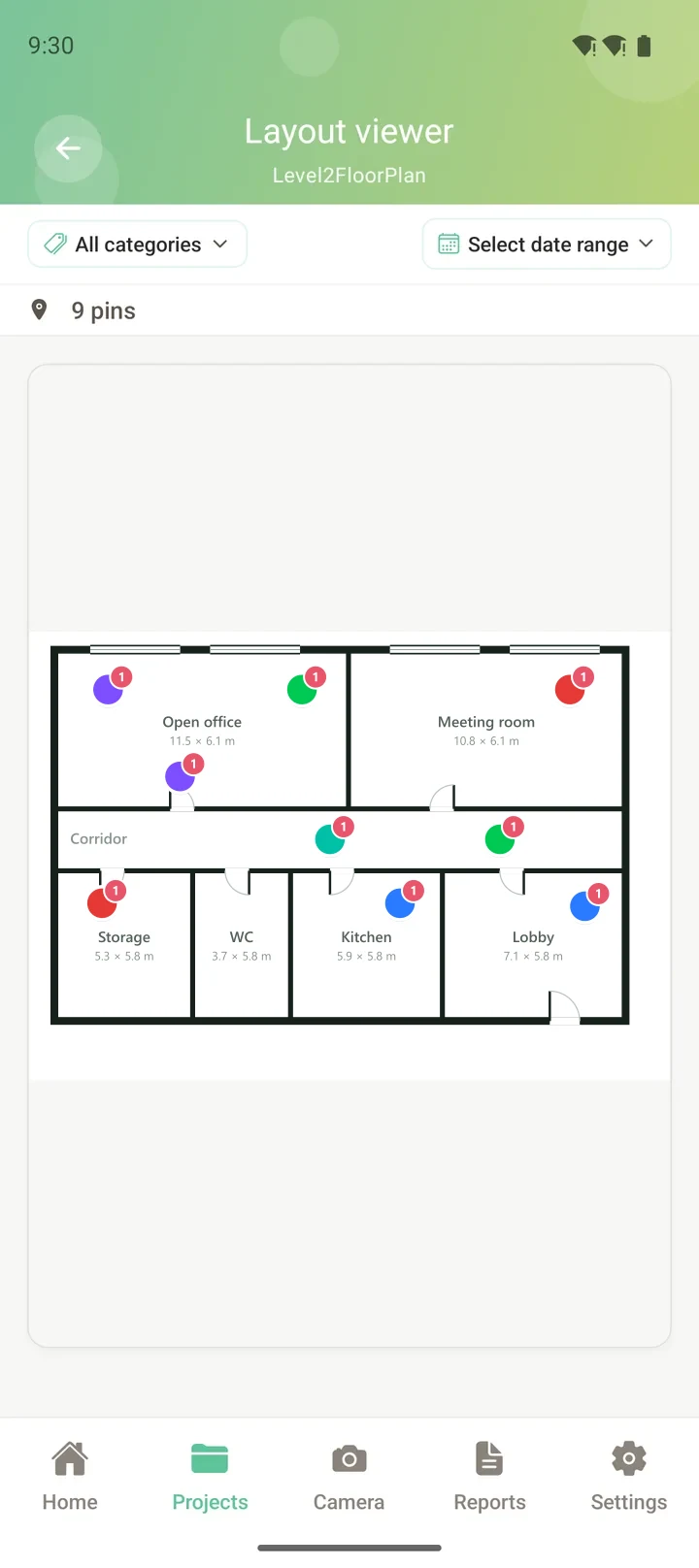
Construction photos pinned on a floor plan in SIAPP
How it works

Shoot once. Find it again in seconds.

No more scrolling through 4,000 photos called IMG_ to find the one from the second-floor pour.

01

Take the photo in the project

Pick Progress, Issue or Inspection as you shoot. Date, time and GPS are attached automatically, and you can dictate a note.

Taking a construction photo in SIAPP
02

Pin it to the drawing

Tap the spot on the floor plan. Pins are coloured by category, and every photo of a room is one tap away.

Pinning a photo to the floor plan
03

Send a photo report

Filter by date range, category or plan and build a PDF with photos, notes and plan extracts. Share it as a file or a link.
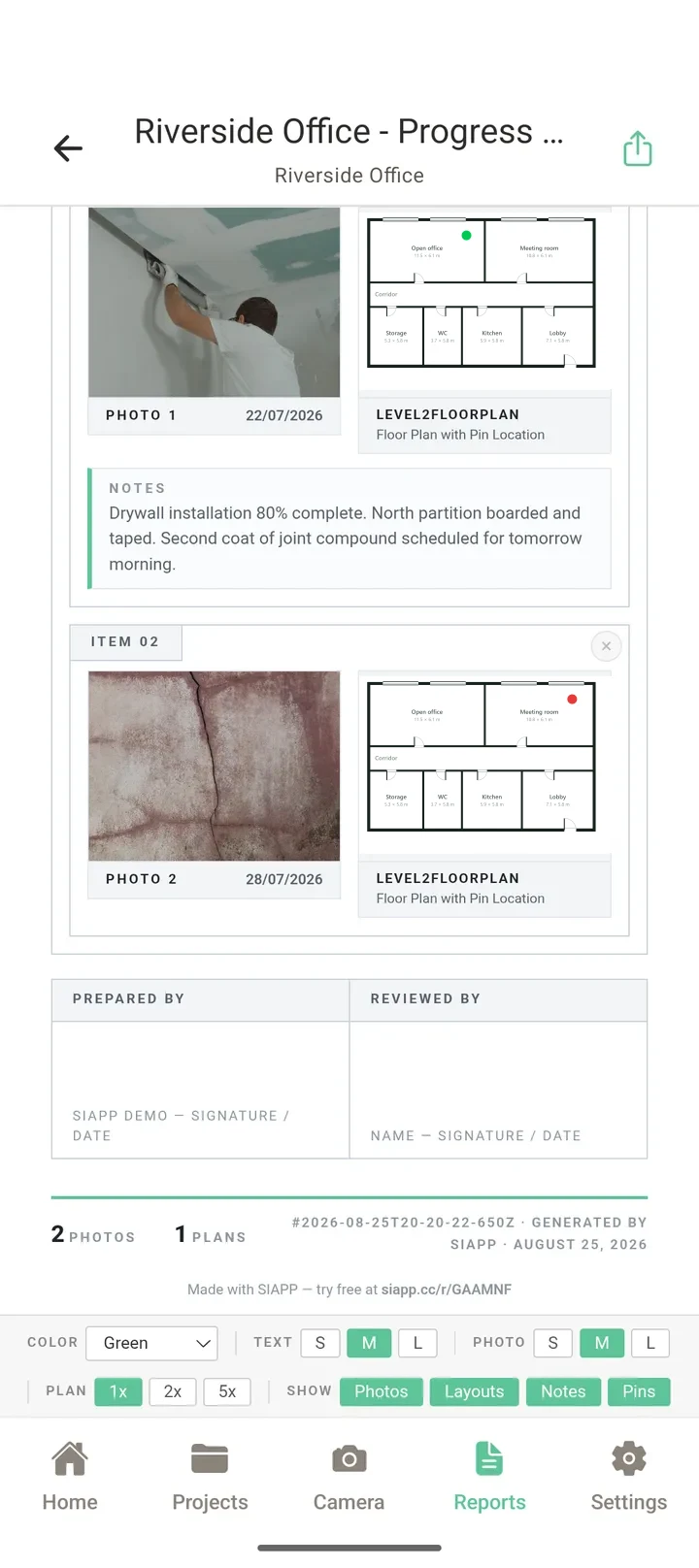
A SIAPP photo report
What you get

A photo record you can actually use

The point of site photos is to answer a question later: what was behind that wall, when was that slab poured, was that crack there at handover. SIAPP keeps the answer attached to the photo.
Date, time and GPS on every photo
Progress, Issue, Inspection and General categories
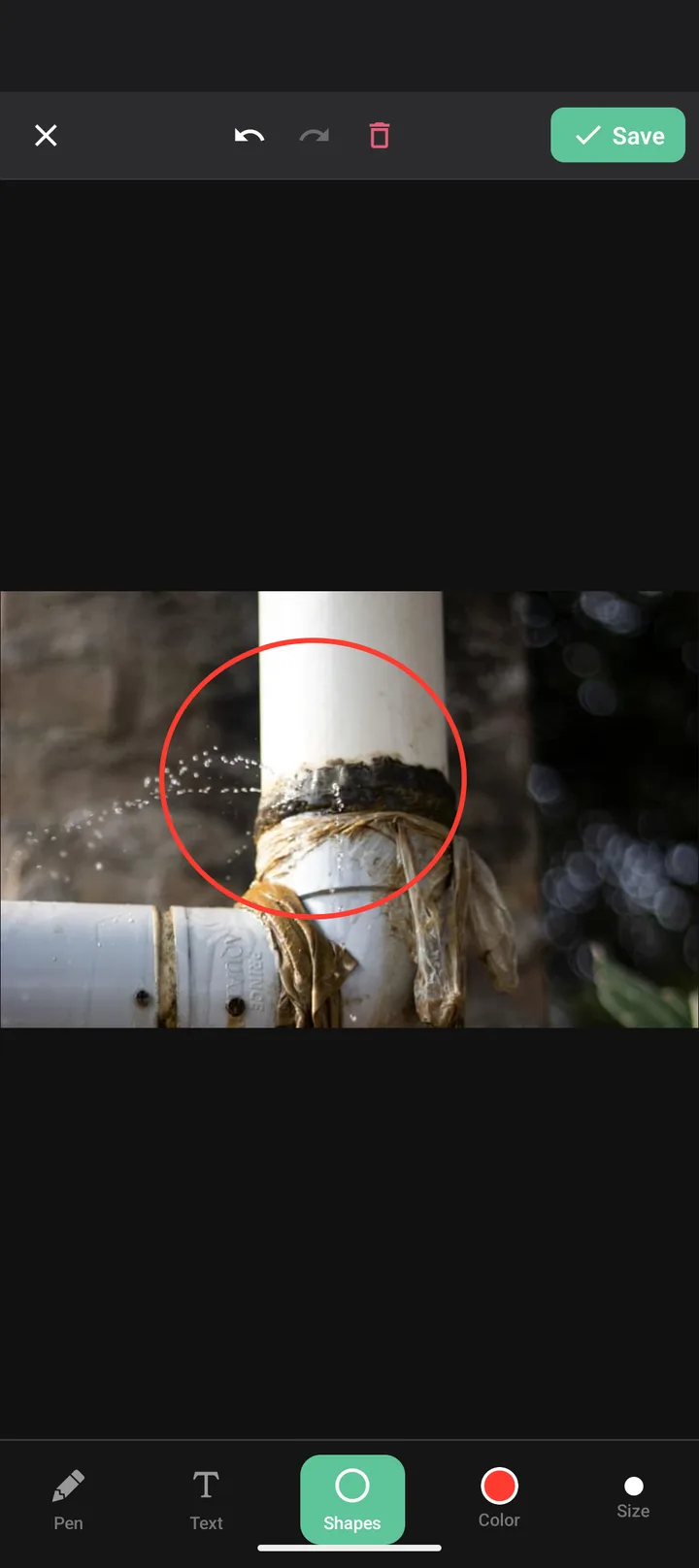
Draw and write on photos to mark the detail
Filter by date range for progress reports
Works offline, syncs when signal is back
Marking up a construction photo
FAQ

Common questions

What is a construction photo documentation app?
It replaces the camera roll and the shared folder. Photos are taken inside a project, stamped with date, time and GPS, sorted by category and tied to a spot on the drawing, so a photo from six months ago can be found and trusted in seconds.
Why pin photos to the floor plan?
A caption like "level 2, east wall" is only as good as whoever typed it. In SIAPP you tap the spot on the plan, so anyone can open the drawing later and see every photo taken in that room, by date.
Can I use the photos as evidence in a claim or dispute?
Every photo keeps its capture date, time and GPS position, and progress photos can be filtered by date range into a PDF report. That gives you a dated, located record of what was built and when.
Does it work without signal?
Yes. Photos, notes and pins are saved on the phone first and upload on their own when you are back in range, so basements and new shells are no problem.
How much does it cost?
The free plan is permanent: 2 projects, 50 photos per project and 1 GB — no card, no trial clock. Paid plans start at $14 a month for Solo, and every paid plan starts with a 14-day free trial in the store.
Is it on iPhone as well as Android?
Yes. SIAPP is on Google Play and the App Store, and the same account opens your projects in a web browser.

Try it on your next site visit

Install it, upload one floor plan and pin your first photo. It takes about two minutes.

Related: Punch list app · Free punch list template · Photo documentation best practices · All features