 SIAPP
SIAPPYour PCI defects list, pinned to the plan
Photograph each defect, tap where it is on the floor plan and send the builder a PDF defects report before you leave. For homeowners, building inspectors, builders and site supervisors.
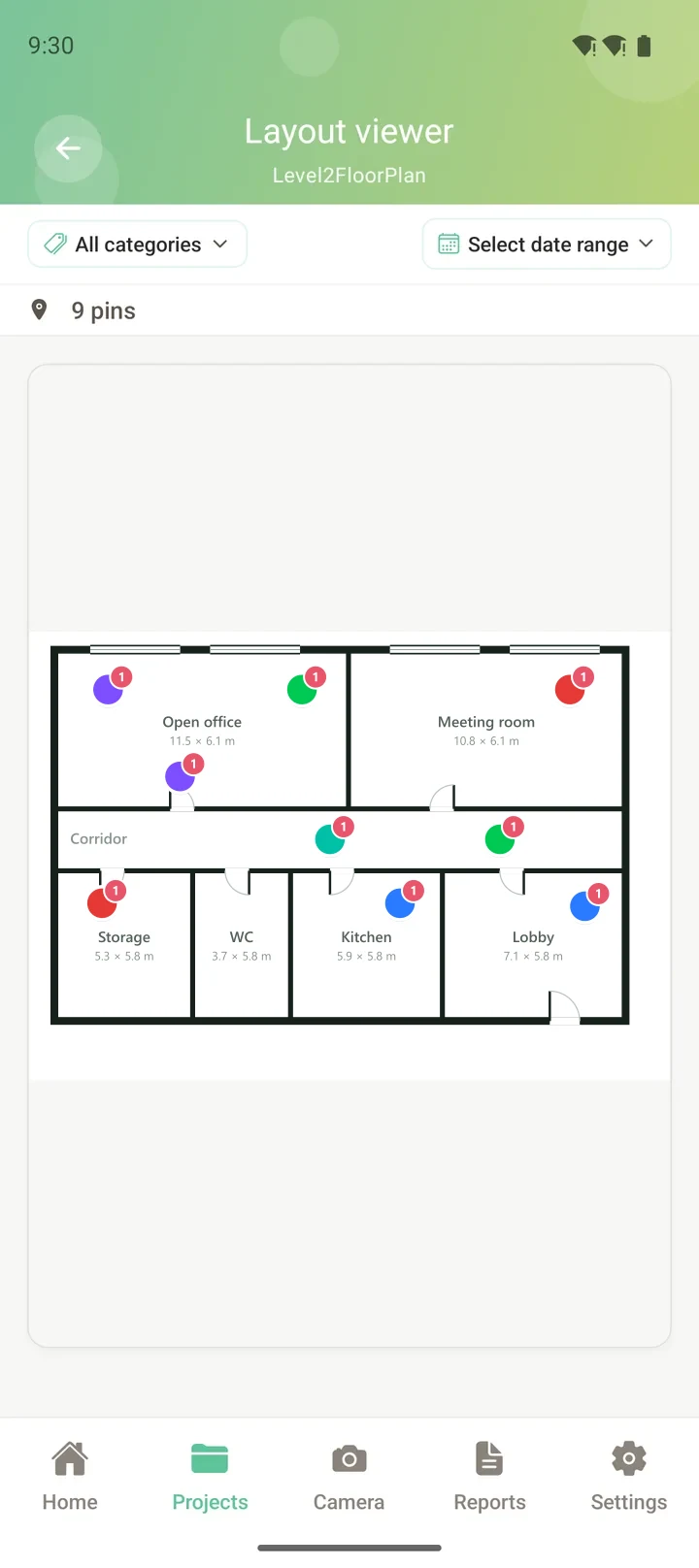
One walk-through. One clear defects list.
A builder cannot argue with a photo, a note and a pin on the plan.
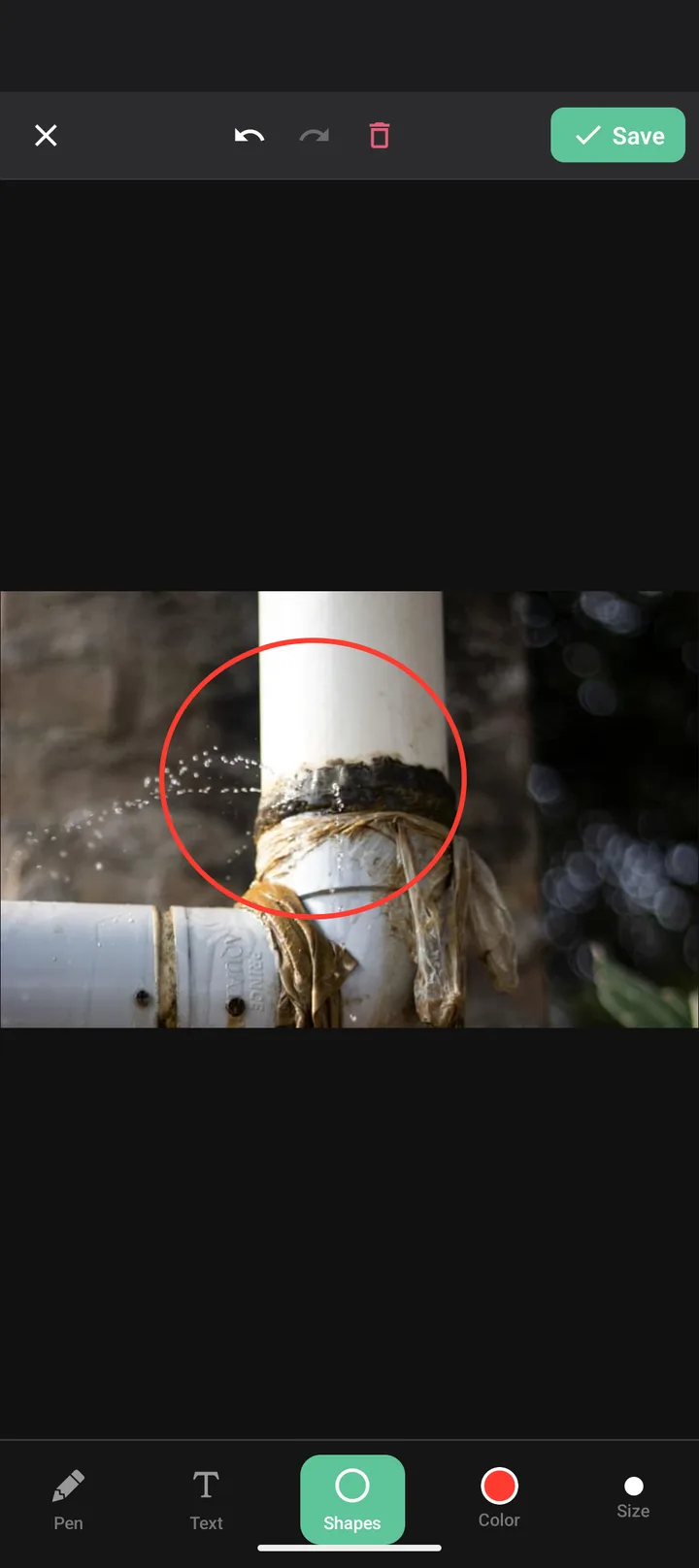
Photograph the defect
Choose "Issue", add a short note (or dictate it), and the date, time and GPS are recorded with the photo.

Pin it to the floor plan
Upload the plan from your contract (PDF or photo) and tap where the defect is. Defects show as red pins, room by room.

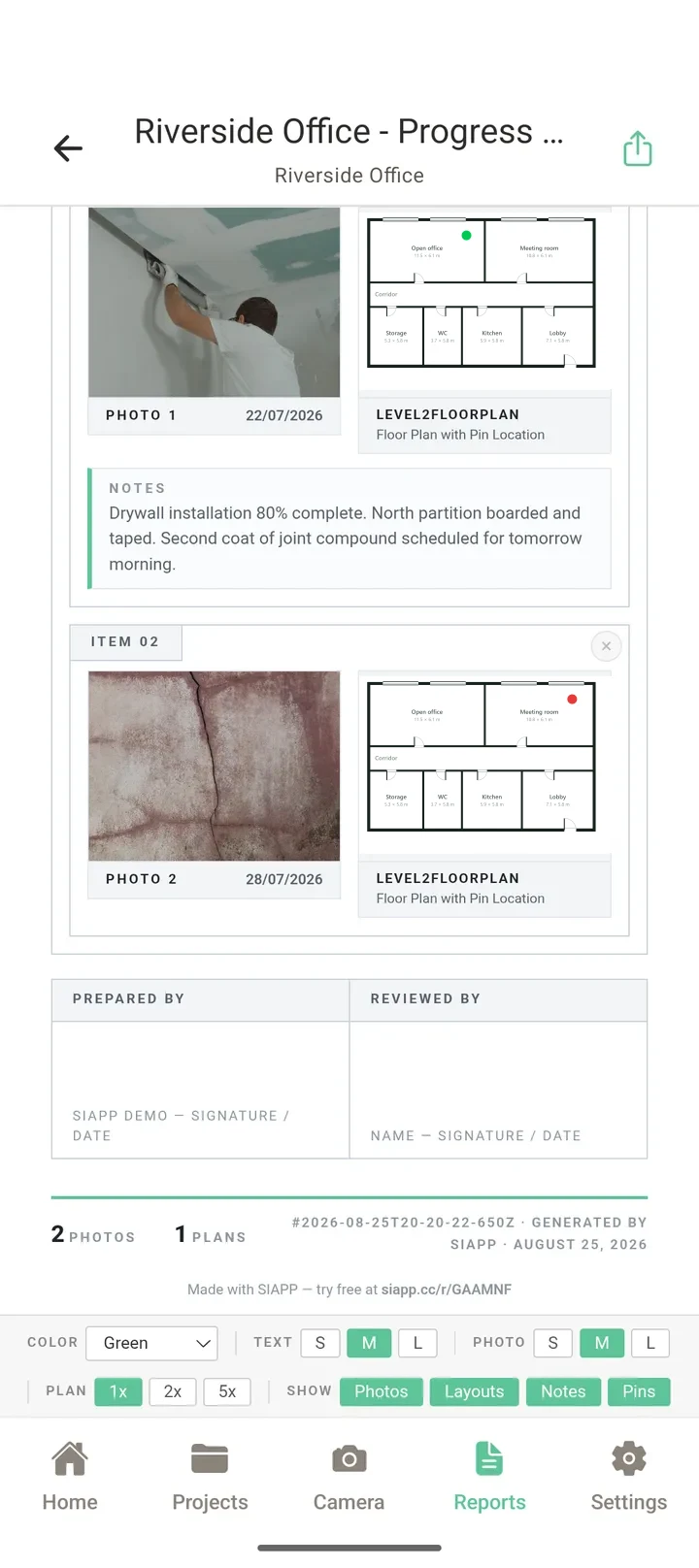
Send the defects report
One tap builds a PDF with a photo, note and plan extract for every defect. Share it with the builder as a file or a link.
Made for the walk-through, not the desk
PCI day is busy: a supervisor waiting, a long list and not much time. SIAPP keeps every defect in one place with the evidence attached, so the report is done when the walk is.
Common questions
What is a practical completion inspection (PCI)?
How does SIAPP help with a PCI?
Can I use a checklist during the inspection?
Can I check the defects were fixed at handover?
How much does it cost?
Does it work without reception?
Take it to your PCI
Install it, upload your floor plan and pin the first defect. It takes about two minutes.
Related: Free PCI and defects checklist · Snagging app · All features