Skip to content
SIAPP
Sign in
Get the app
Scan to get the appPoint your phone camera at the code to open Google Play or the App Store.
Inspection report app

Construction inspection reports, finished before you leave site

Photograph what you find, pin it to the floor plan and tap Generate. SIAPP builds the PDF on your phone — inspection, punch list, daily report or checklist — with your logo, or in your own Word layout.
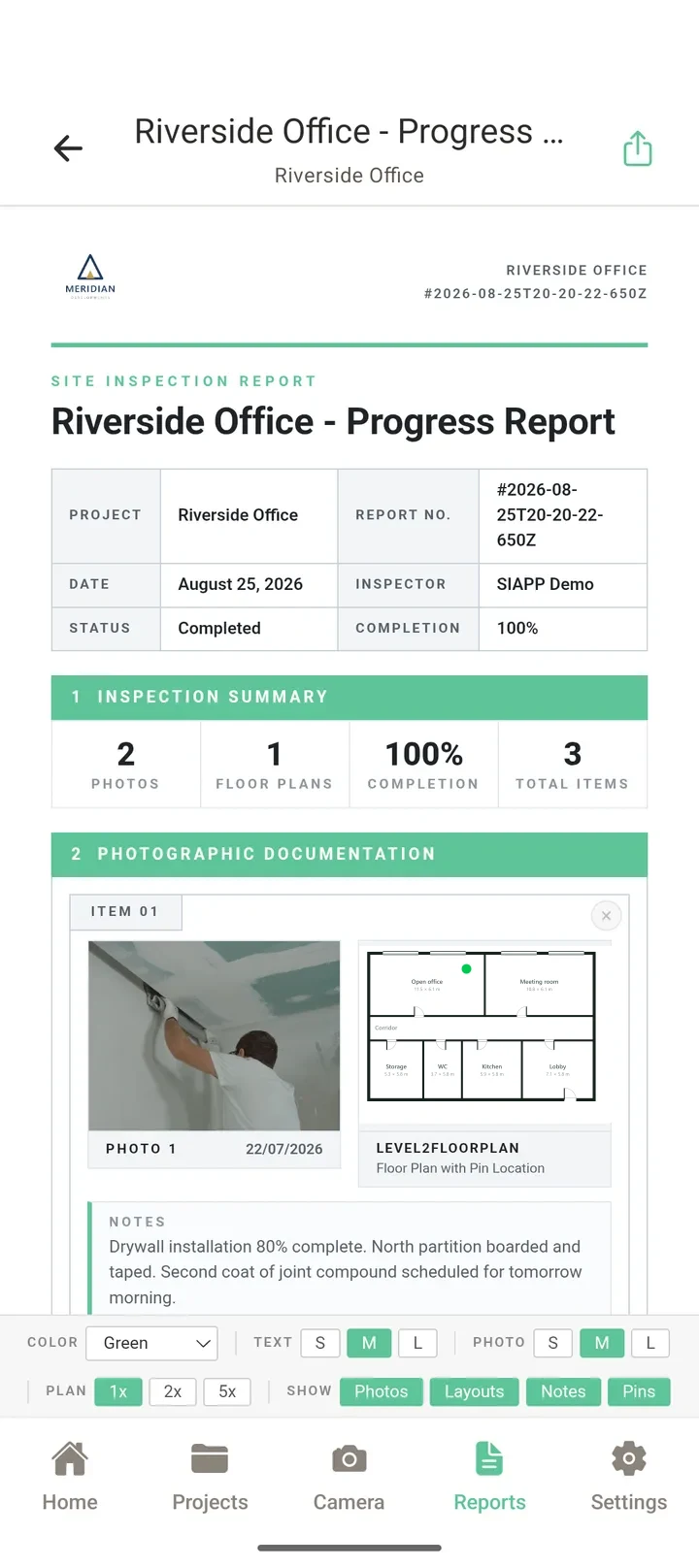
A branded SIAPP inspection report
How it works

From site walk to signed-off PDF in three steps

No evening at the desk sorting photos into a Word document.

01

Capture on site

Photos, notes by voice, categories, checklist answers and the day's log, all inside the project. Works without signal.

Capturing an inspection photo in SIAPP
02

Pin it to the plan

Every photo sits where it was taken, so the report shows the plan extract next to each finding.

A photo pinned to the floor plan
03

Generate the report

Pick the report type and the photos, tap Generate, and share the PDF as a file or a password-protected link.
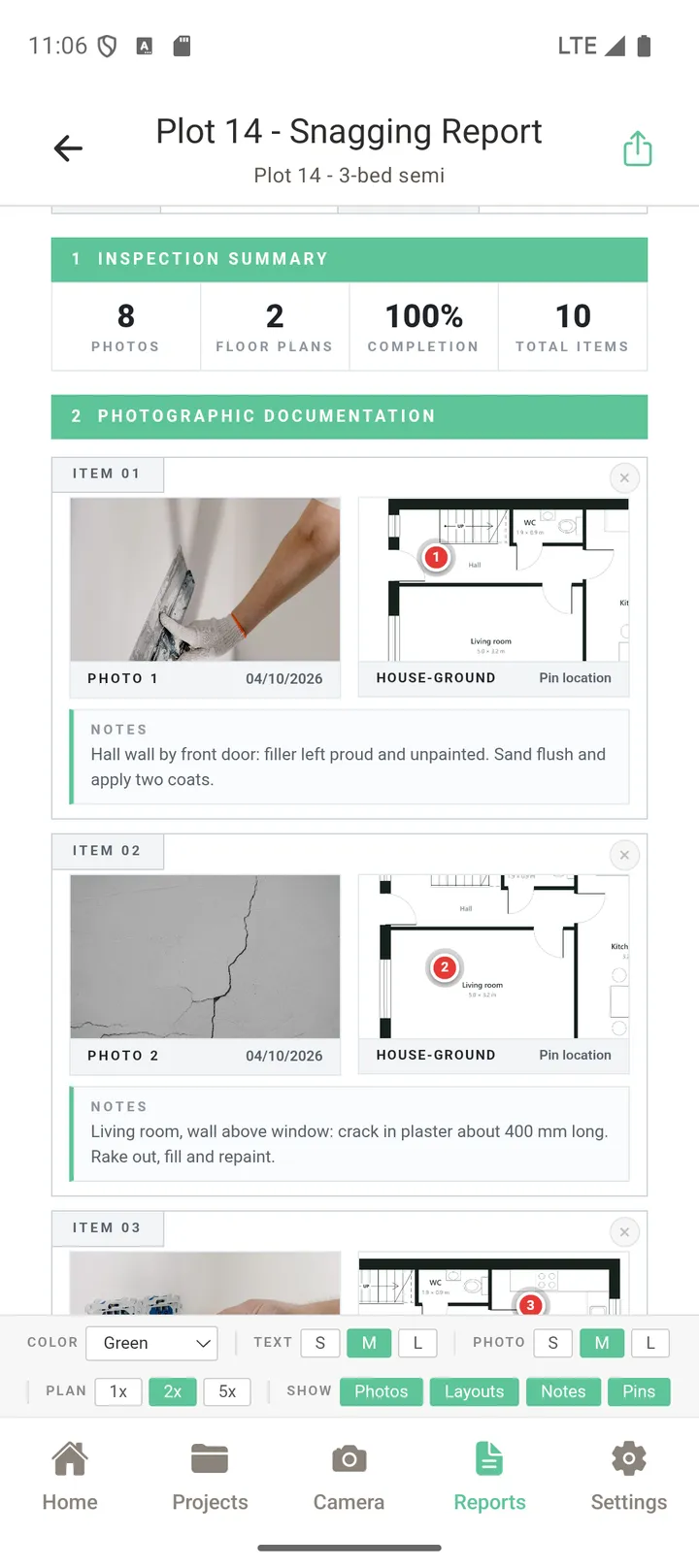
A finished snagging report with photos and plan extracts
Report types

One app, every report the job needs

The same photos and pins feed every report, so you never re-type the same finding twice.
Inspection and progress reports with plan extracts
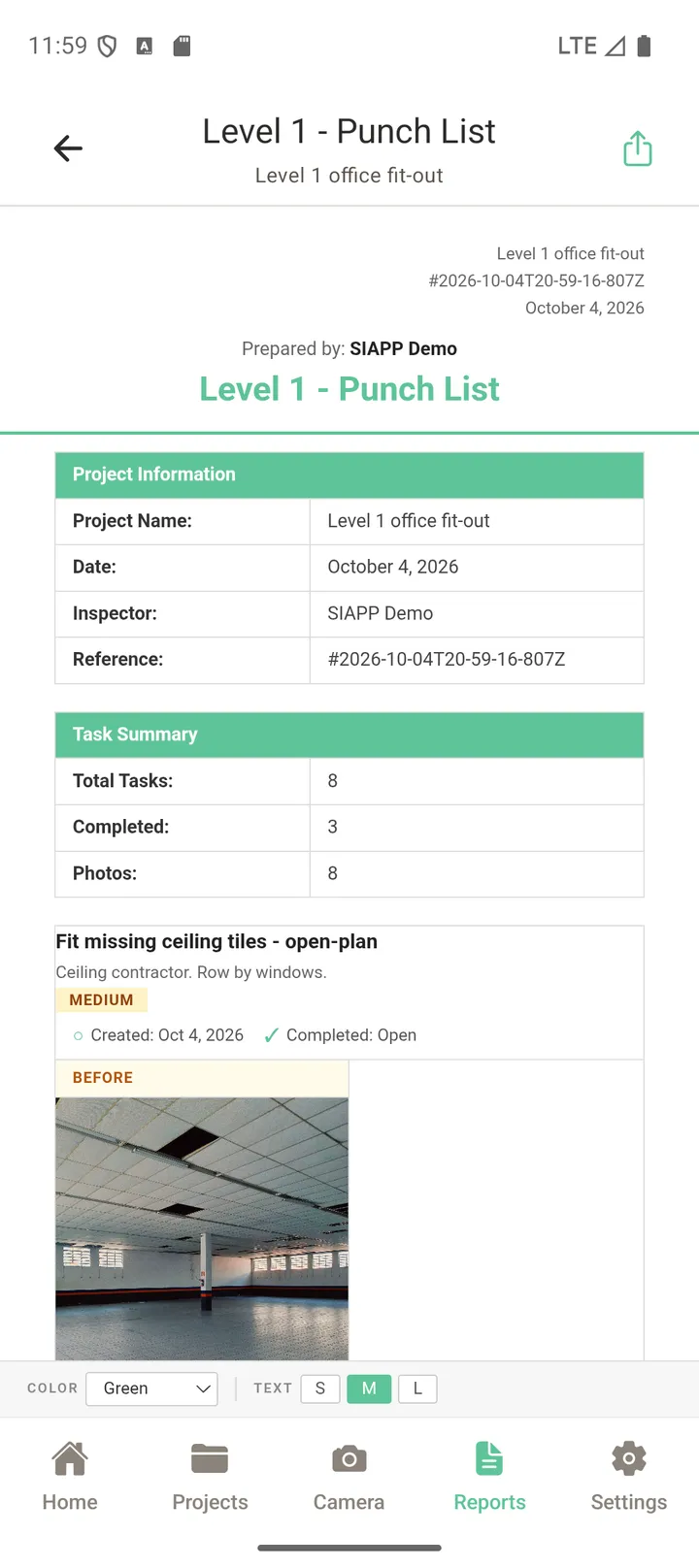
Punch list reports with status and before/after photos (Professional)
Daily reports with weather from the site diary (Solo and up)
Checklist reports from your own templates
Your logo on every report (Solo and up), or your own Word template (Professional)
A punch list report with task status and photos
FAQ

Common questions

What reports can SIAPP make?
Inspection and progress reports (photos with notes and the plan location of each one), punch list reports (every item with its status, priority and before/after photos), daily reports from the site diary (with the weather for the day), and checklist reports. All come out as a PDF you can share as a file or a link.
Can I use my company's own report layout?
Yes, on Professional and Enterprise. Upload your existing Word report once and SIAPP turns it into a template, then fills it with your photos, pins, notes and tasks every time. On Solo and up, reports carry your own logo and company details.
Is there a construction daily report app built in?
Yes. The daily log records the day on site — weather, notes and photos — and turns it into a daily report PDF. Creating daily logs starts on the Solo plan.
Does it work without signal?
Capturing works fully offline: photos, pins, notes, tasks and checklists are saved on the phone and sync when you are back online. Building the PDF needs a connection.
What do I get on the free plan?
The free plan is permanent: 2 projects, 50 photos per project and 1 GB, with no card needed. No card and no time limit.

See a real report first

Open the sample inspection report, then try it on your next inspection — the free plan includes PDF reports.

Related: Sample inspection report (PDF) · Punch list app · Snagging app