Skip to content
SIAPP
Sign in
Get the app
Scan to get the appPoint your phone camera at the code to open Google Play or the App Store.
Free punch list template

Punch list template for construction close-out

A free punch list you can print, save as PDF or open in Excel: item, location, description, trade, priority, due date, status and sign-off. Or run the walk in the SIAPP app, where AI writes each item from your photo.
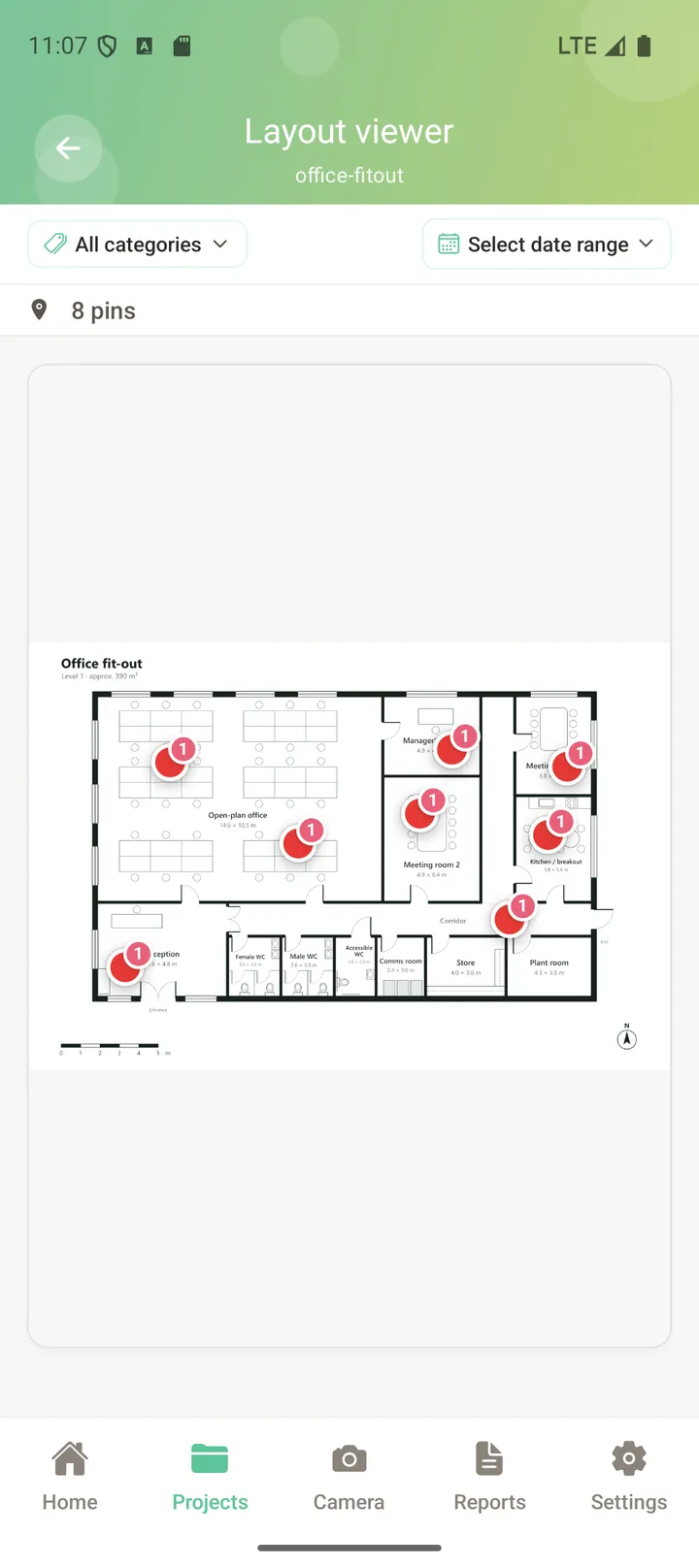
Punch list items pinned on an office floor plan in SIAPP
The template

Punch list

Project, address, date of walk, area, walked by and contractor at the top; one row per item below. The first three rows are an example of how to word an entry.

Punch list template with three example rows and blank rows
Item #LocationDescriptionTrade / responsiblePriorityDue dateStatusVerified
P-001Level 2, Office 204, east wallDrywall joint visible above door frame. Re-tape, sand and repaint full wall.Drywall / paintingMediumFri, week 1Open
P-002Level 2, corridor by stair BCeiling tile cracked and stained. Replace tile; check for leak above first.Ceilings / MEPHighWed, week 1Open
P-003Level 1, restroom M1Toilet partition door does not latch. Adjust hinge and keeper.Toilet partitionsLowFri, week 2DoneJS, 14 Nov
P-004       
P-005       
P-006       
P-007       
P-008       
P-009       

Example rows are made up to show the wording. The printable sheet and the CSV start empty.

How to use it

Three rules for a punch list that gets closed

01

Say exactly where

Level, room and wall or grid line. "Office 204, east wall, above the door" saves the trade a phone call and a search.

02

Say what done looks like

Write the fix, not just the fault: "re-tape, sand and repaint full wall". Then nobody argues about whether it is finished.

03

Give every item an owner and a date

One trade and one due date per line. Close it only after someone has looked at the fix and initialled the Verified column.

The phone version

The same punch list, without the clipboard

In SIAPP each punch item is a photo pinned where it is on the floor plan. AI writes the description from the photo, and the PDF punch list builds itself before you leave the job.

Photo, note, GPS and time captured together
Location is a pin on the plan, not a description
AI writes each item from your photo
Assign items to subs with a due date (Professional and Enterprise)
One-tap PDF punch list, capture works offline
FAQ

Common questions

Is this punch list template free?
Yes. Print the sheet, save it as PDF or download the CSV for Excel or Google Sheets. There is no sign-up and nothing to install.
What should a punch list include?
One line per item: a number, the exact location (level, room, grid line), what is wrong and what has to be done, the trade responsible, a priority, a due date and a status. Add a column for who verified the fix and when, and keep a photo of each item.
When is the punch list made?
Usually near substantial completion: the contractor, owner or owner's rep and often the architect walk the building and list everything still to finish or correct. Items are then closed one by one and checked on a re-walk.
Is a punch list the same as a snag list?
"Punch list" is the American term and "snag list" the UK, Irish and Australian one. Both are the list of items to fix before handover. There is a room-by-room snag list generator too, if that fits your job better.
Why use an app instead of a paper punch list?
Paper cannot hold the photo, and "corridor by stair B" is only as clear as whoever wrote it. In SIAPP every punch item is a photo pinned on the floor plan, AI writes the description from the photo, and the PDF punch list is built on the phone. The free plan is permanent: 2 projects, 50 photos per project and 1 GB, with no card needed.

Or run the whole punch walk on your phone

Install SIAPP, upload one floor plan and pin your first item. It takes about two minutes.

Related: Punch list app · Snag list generator · Best snagging and punch list apps · Site inspection checklist