Skip to content
SIAPP
Sign in
Get the app
Scan to get the appPoint your phone camera at the code to open Google Play or the App Store.
Defect management app

The defect management app that puts every defect on the plan

Photograph the defect and AI writes it up from your photo. Pin it where it is on the floor plan, assign it to the trade, track it to closed and send the PDF defects report before you leave site. On Android, iPhone and a web dashboard.
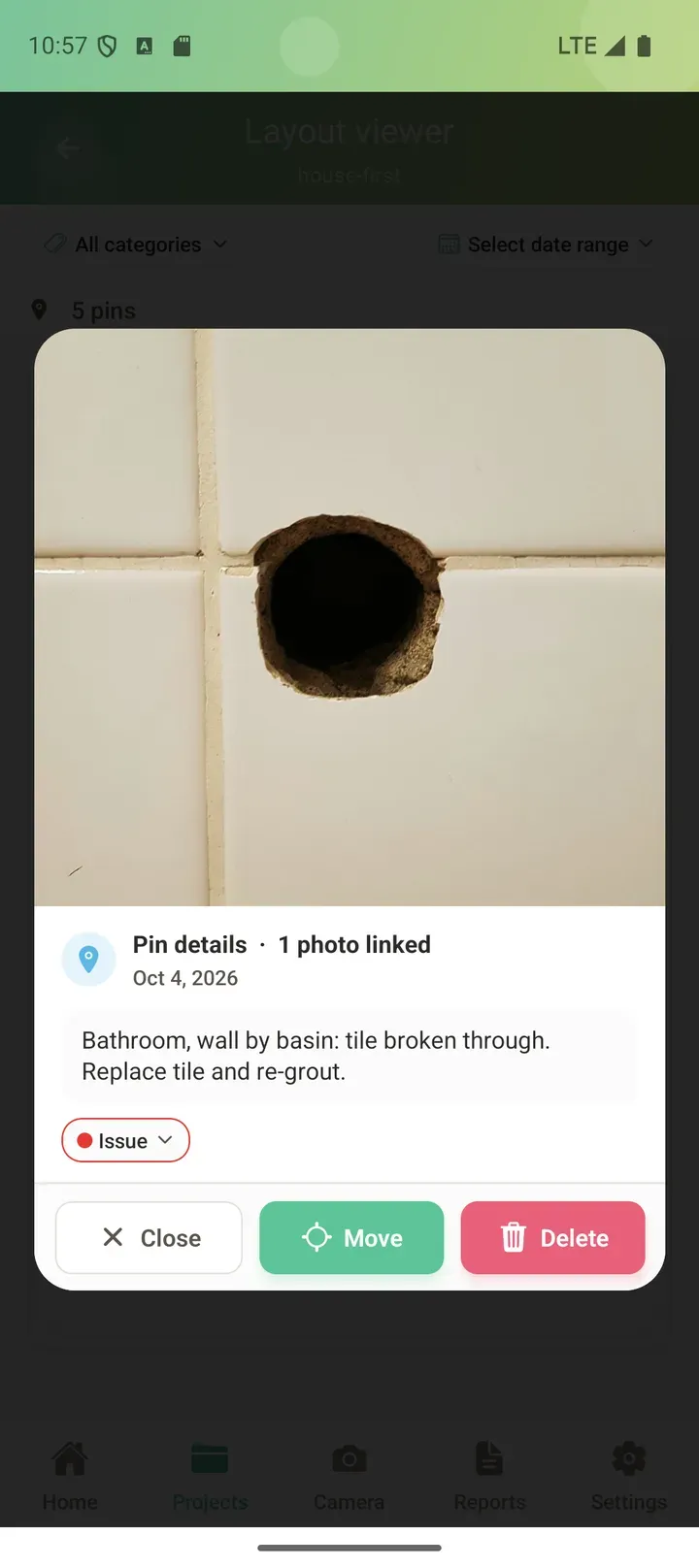
A defect pinned on a floor plan in SIAPP
How it works

From defect inspection to closed-out defect

One record per defect, from the first photo to the sign-off.

01

Record and pin

Take the photo, pick the category and let AI write the finding. Date, time and GPS are added for you, and the defect is pinned to its spot on the plan.

Recording a defect pinned on the plan
02

Assign and track

Turn the defect into a task with an owner, a priority and a due date. Open, in progress and completed defects show at a glance (Professional and Enterprise).
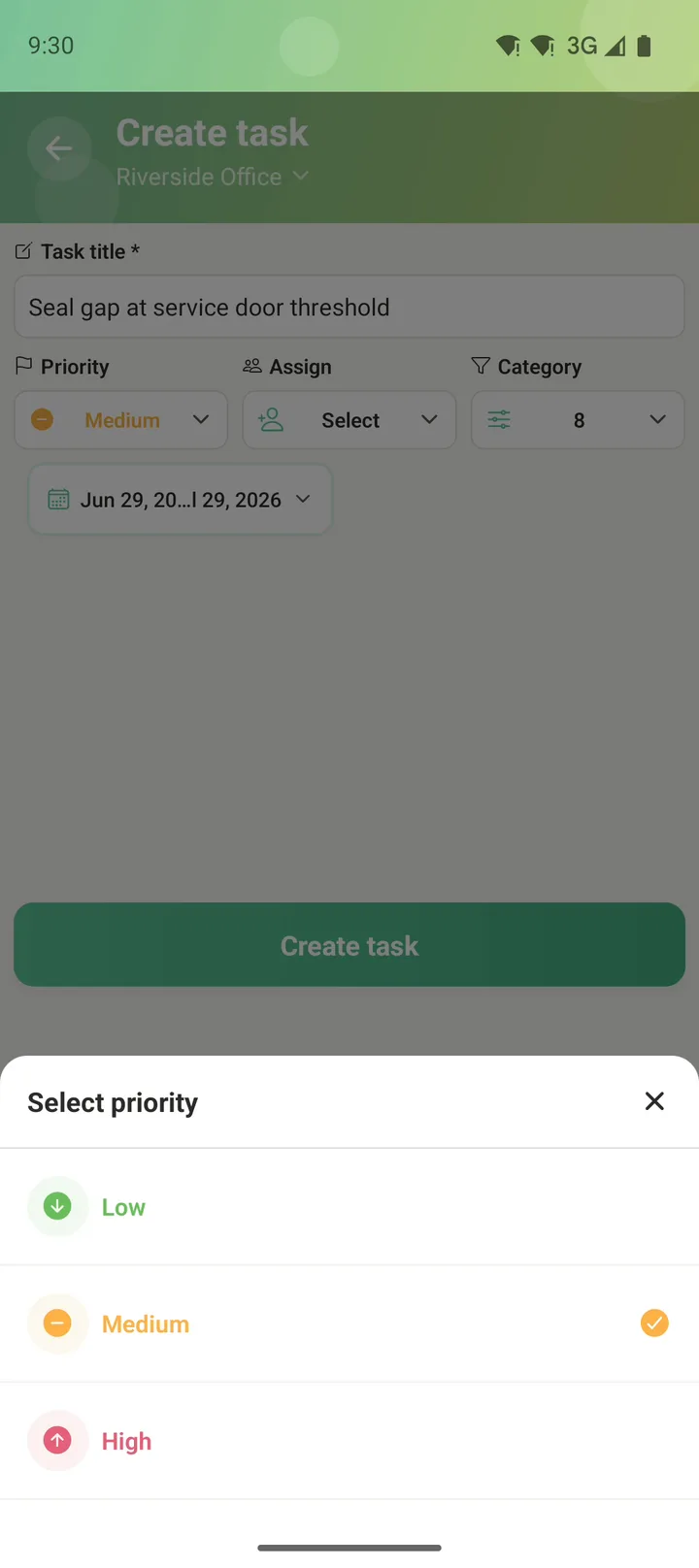
Assigning a defect to a team member
03

Close out and report

Add the after photo next to the before photo and generate the PDF defects report on the phone, with a plan extract for every defect.
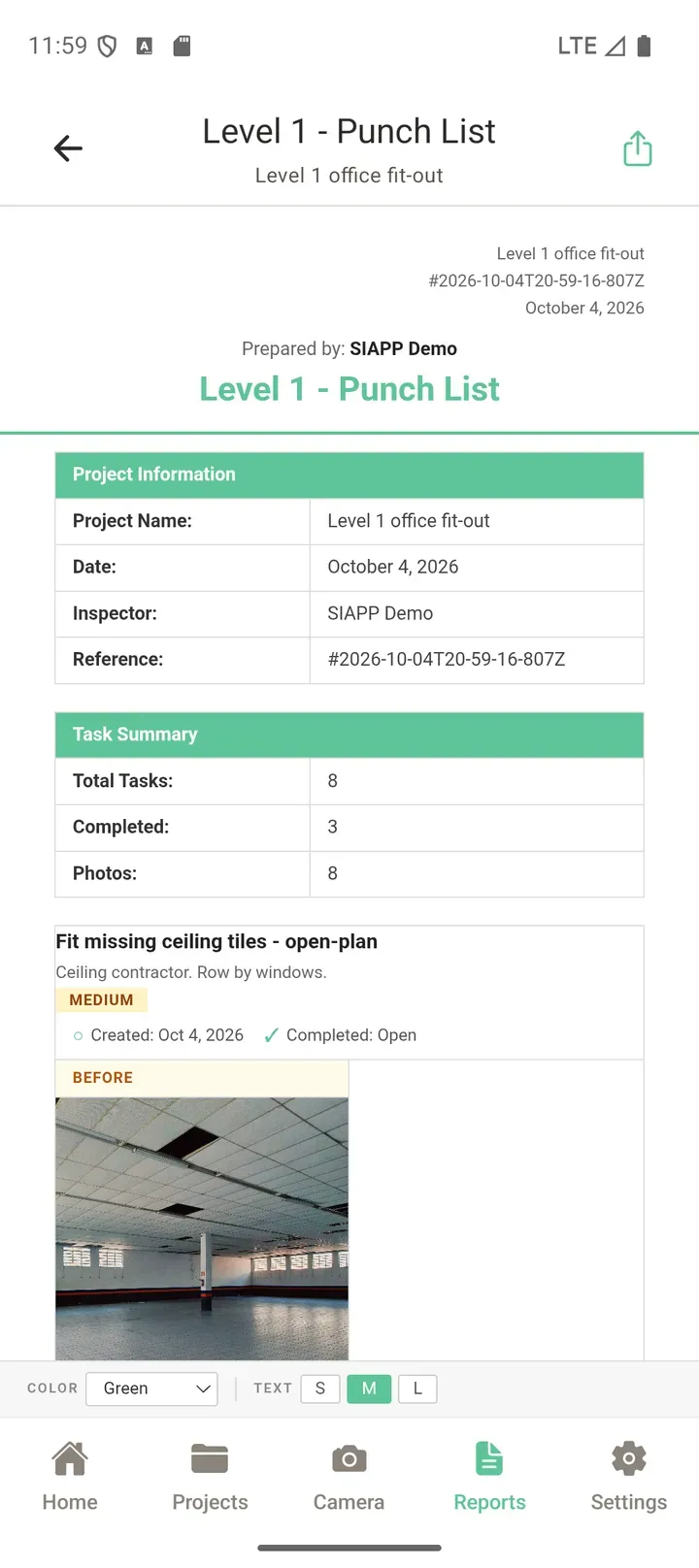
Closing a defect with an after photo
Who uses it

For the people who find the defects and the people who fix them

Builders, site supervisors and quality managers, building inspectors and owners' reps, and the trades who clear the list. Everyone sees the same defect in the same place on the plan.
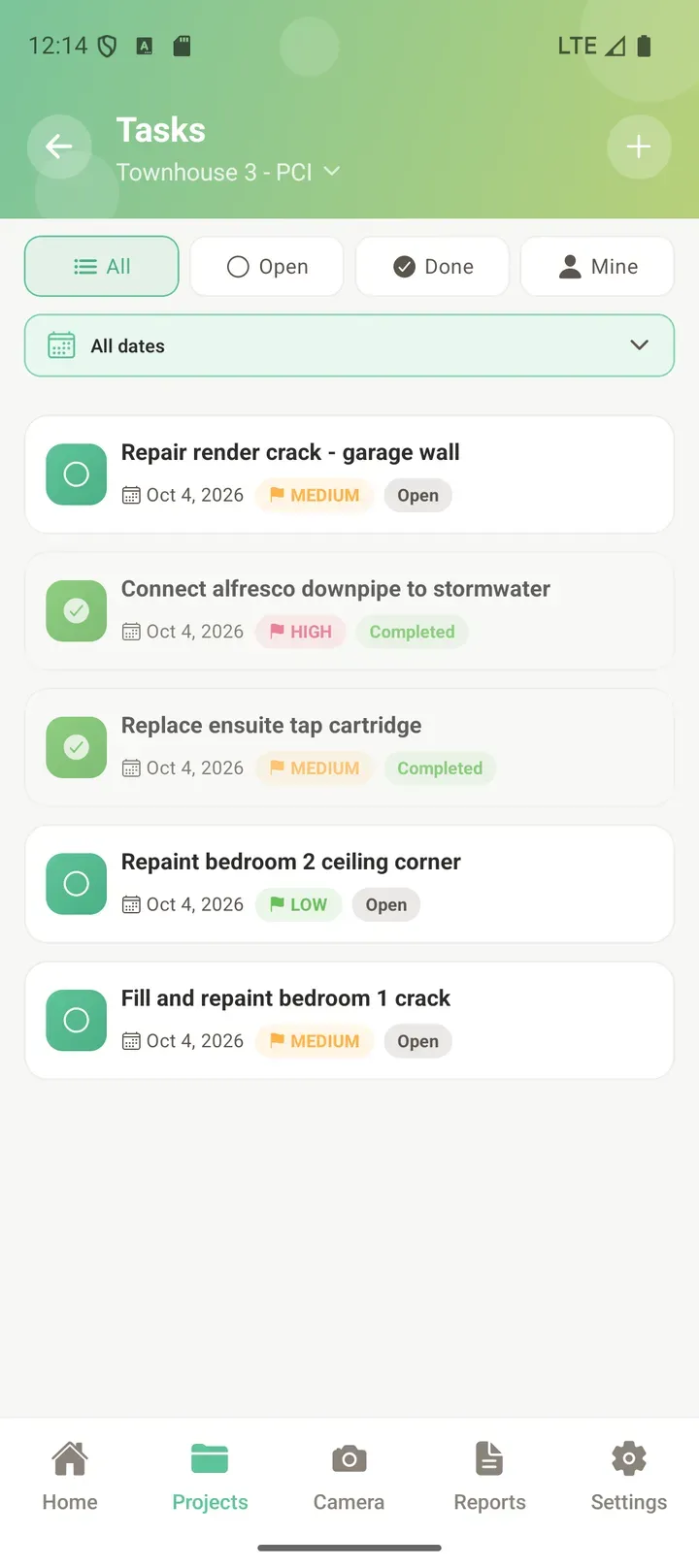
Builders and site supervisors before handover
Building and defect inspectors
Quality managers and clerks of works
Developers, owners' reps and property managers
Subcontractors clearing their own defects
Defects tracked by status in SIAPP
FAQ

Common questions

What is a defect management app?
It replaces the defects spreadsheet and the folder of loose photos. Each defect is recorded once on site with a photo, its location and a description, assigned to the trade that has to fix it, and tracked until it is closed. SIAPP also pins every defect on the floor plan, and AI writes the description from the photo.
How does the AI work?
Take a photo of the defect and SIAPP AI drafts the written finding from it. The note stays editable, like any other note. The free plan includes 5 AI photos to try it; Professional includes 200 AI scans a month and Enterprise 600.
Can I assign defects to subcontractors and track them?
Yes, on Professional (you plus up to 3 team members) and Enterprise (unlimited team members), for one account price with no per-user fees. Each defect becomes a task with a status (open, in progress, completed), a priority, a due date and before/after photos, with reminders when items are due or overdue. You can also send any trade the PDF or a share link with a password and an expiry date.
Can I use it for handover and the defects liability period?
Yes. Record the defects at handover or practical completion, then re-inspect against the same pins on the plan. The after photo sits next to the before photo, so the report shows what was found and what was fixed.
Does it work without signal?
Yes. Photos, pins, notes and tasks are saved on the phone first and upload on their own when you are back in range, so basements and new buildings without Wi-Fi are not a problem.
What do I get on the free plan?
The free plan is permanent: 2 projects, 50 photos per project and 1 GB, with no card needed. No card and no time limit. Defect tasks, before/after closeout and team assignment start on Professional.

Try it on your next defect inspection

Install it, upload one floor plan and pin your first defect. It takes about two minutes.

Related: PCI and handover inspection app · Snagging app · Punch list app · Best snagging apps in 2026